
Docs directory
Table of contents
Flight Controller ID Lookup
ArduPilot Flight Controllers
-
When using ArduPilot firmware with the Mission Planner ground station, connect the flight controller to the ground station. The flight controller ID appears in the Mission Planner window title or in the
Messagespanel underFlight Data. -
In the example, the flight controller ID is
0031002A 33335110 35353936.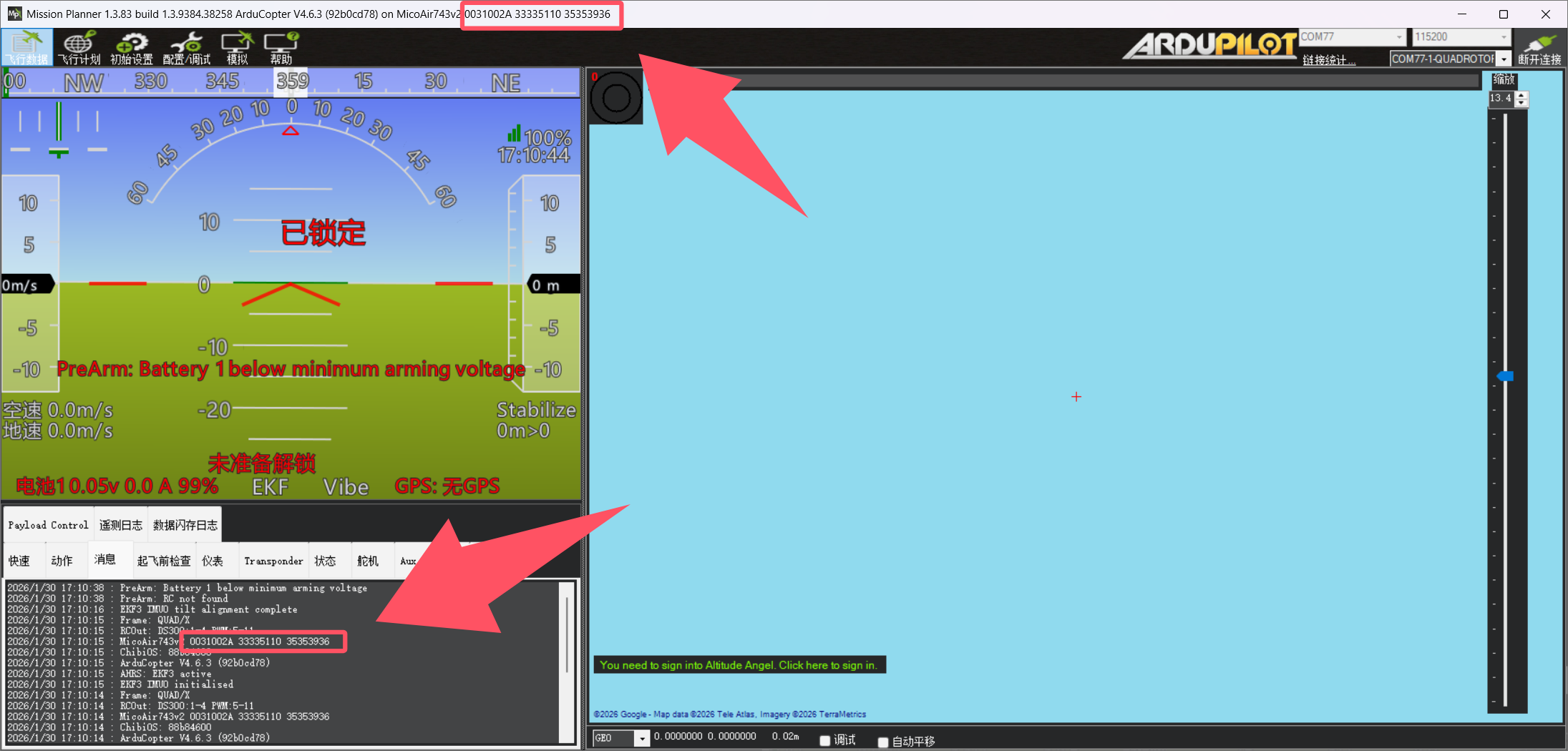
PX4 Flight Controllers
-
When using PX4-Autopilot firmware with the QGroundControl ground station, connect the flight controller to the ground station. On QGroundControl's Analyze Tools page, enter the
ver allcommand in the MAVLink Console. ThePX4GUIDin the output is the flight controller ID. -
In the example, the flight controller ID is
000600000000353539363333510f0032003c.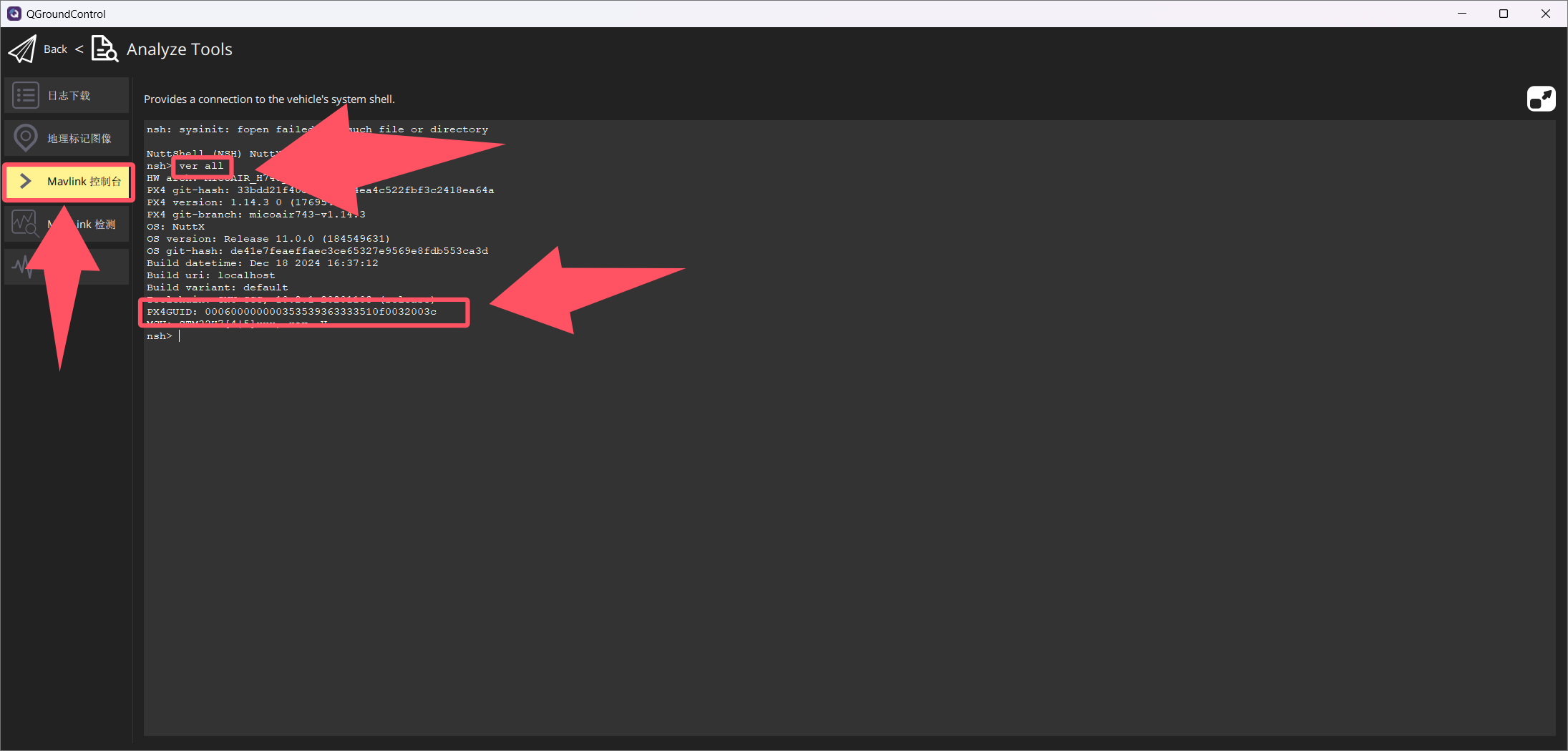
INAV Flight Controllers
-
When using INAV firmware with INAV Configurator, connect the flight controller to the ground station. Click
Show Logbelow the Disconnect button to expand the details. TheUnique device IDshown in the details is the flight controller ID. -
In the example, the flight controller ID is
0x32003c3333510f35353936.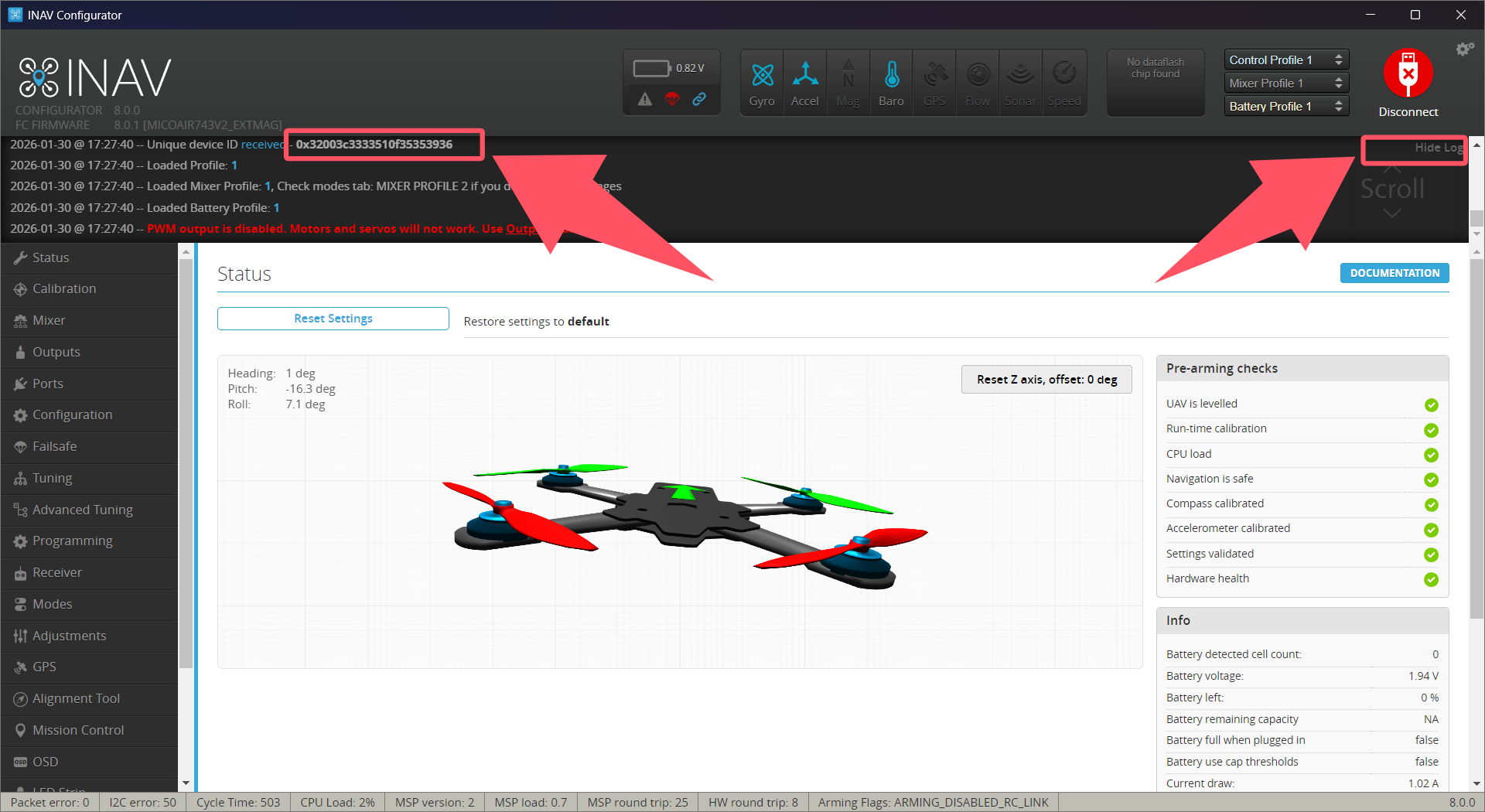
Betaflight Flight Controllers
-
For Betaflight firmware version 4.5 and earlier with Betaflight Configurator, connect the flight controller to the ground station. The
Unique device IDin the log on the main page is the flight controller ID. -
In the example, the flight controller ID is
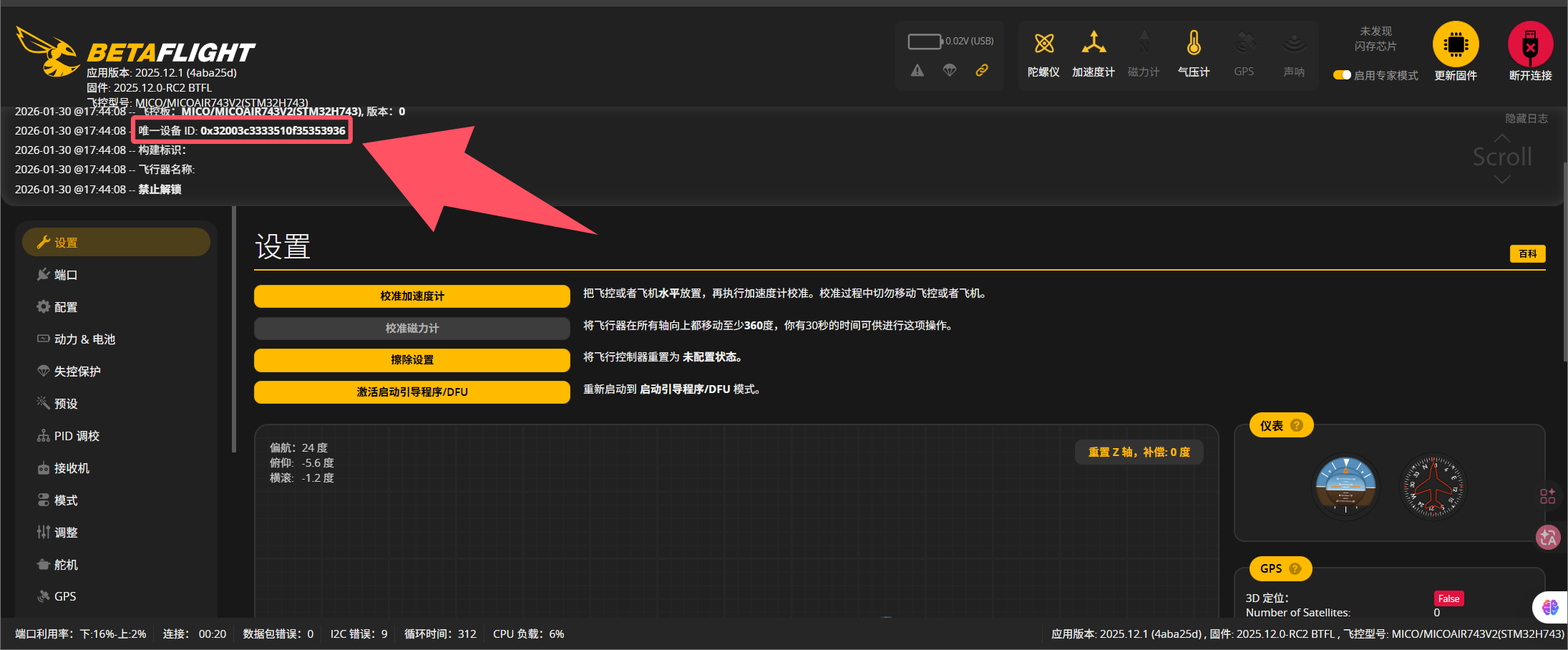
0x32003c3333510f35353936.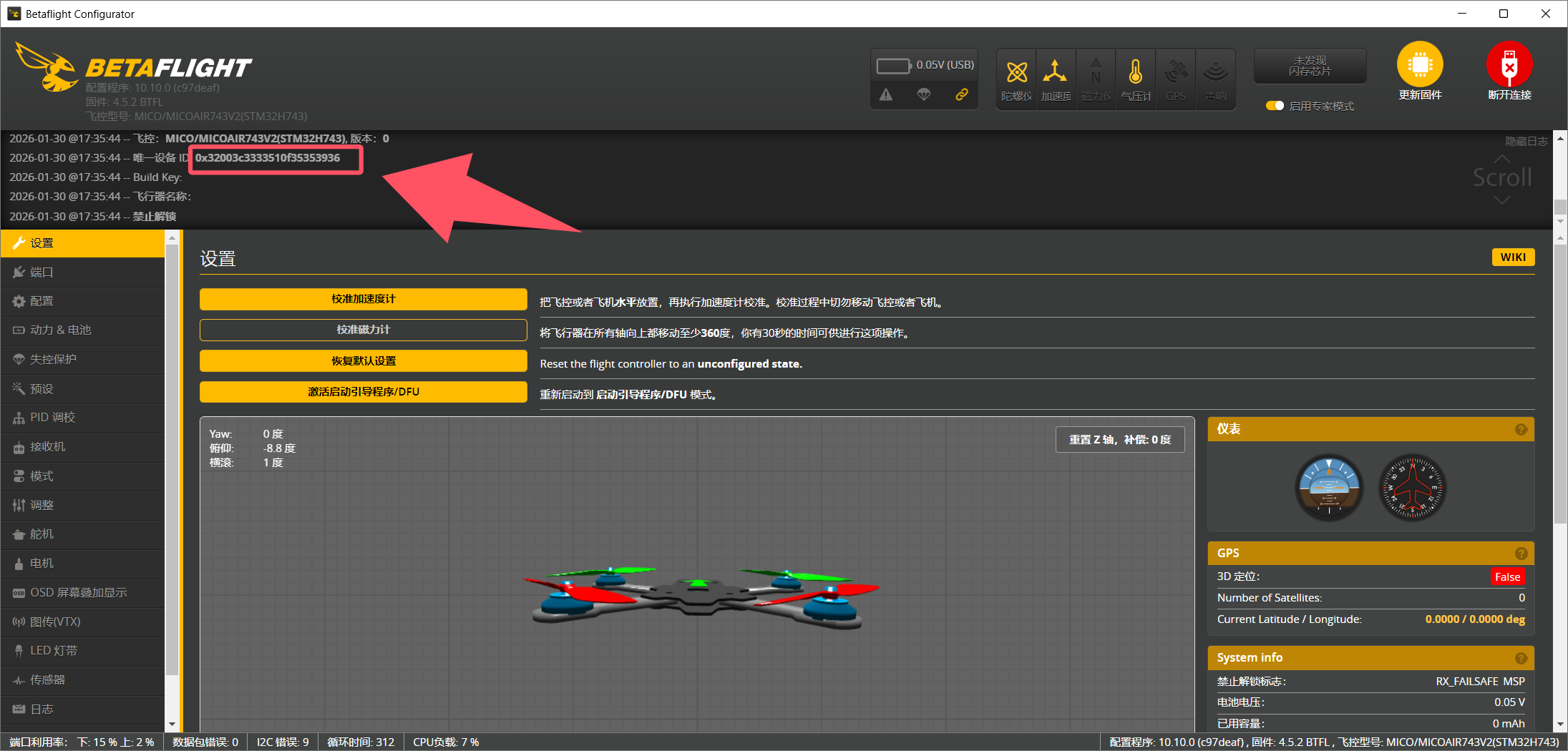
-
For Betaflight firmware version 2025.12 and later, use the web configurator at
https://app.betaflight.com/(see the official Betaflight website for details of the firmware naming change). After connecting the flight controller to the web configurator, theUnique device IDin the log on the main page is the flight controller ID. -
In the example, the flight controller ID is
0x32003c3333510f35353936.