
Docs directory
Table of contents
INAV FAQ
Changing Motor Order in INAV
1. Connect the flight controller: Connect the flight controller to the computer with a USB cable and open INAV Configurator.
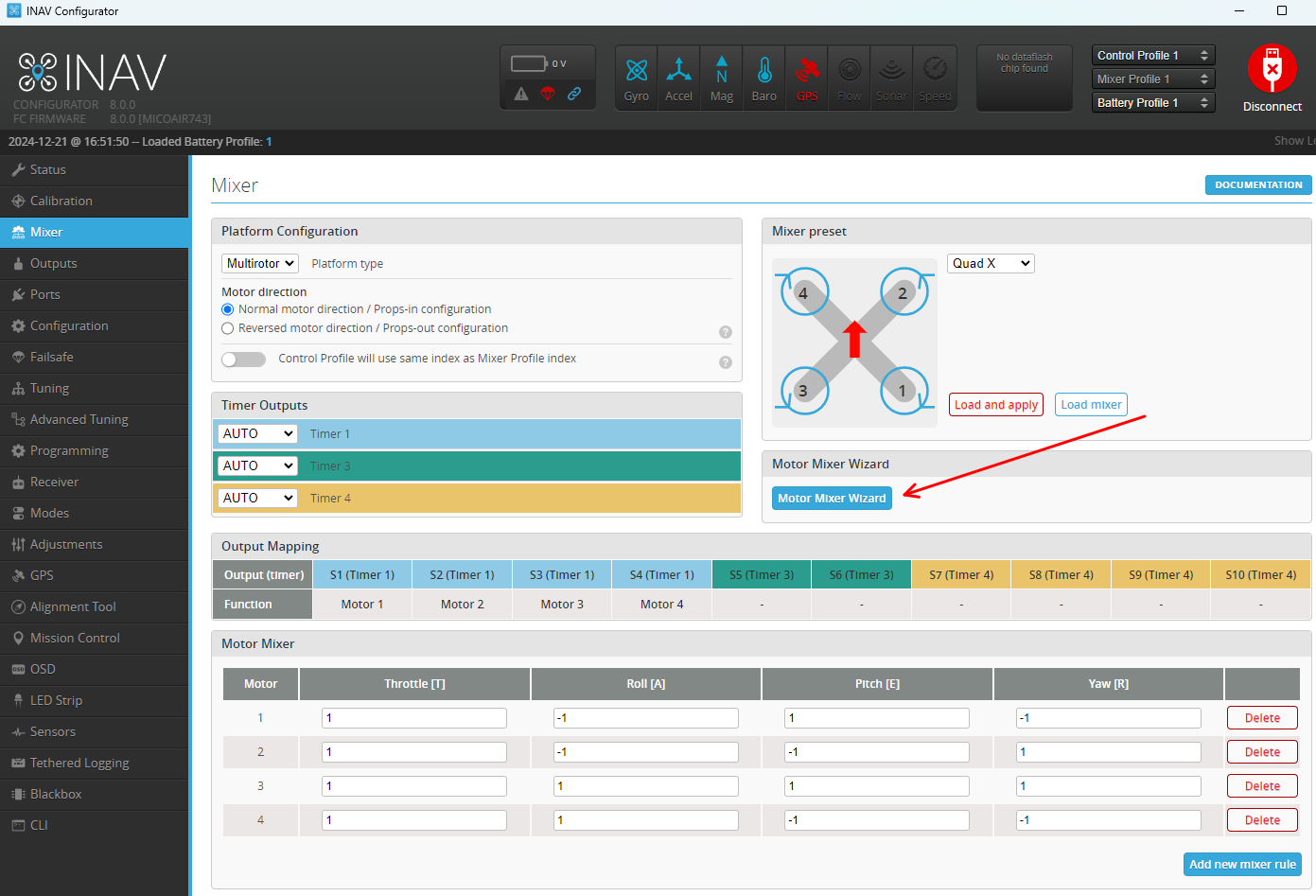
2. Open the motor settings: Navigate to the Mixer page in INAV Configurator.
3. Change the motor order: On the Mixer page, click Motor Mixer Wizard on the right.
Select the required motor order in the dialog:
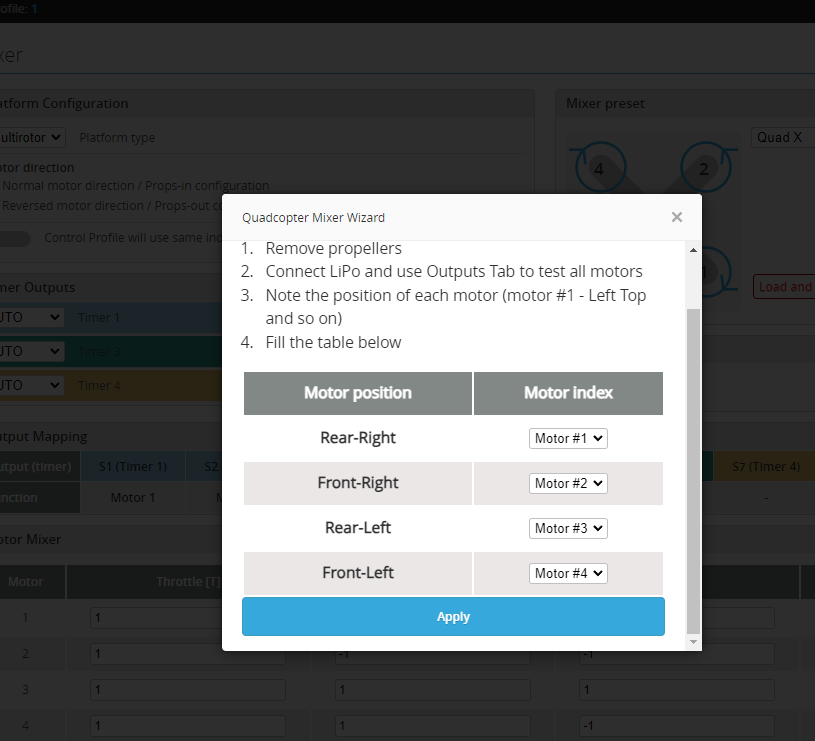
4. Save the settings: After making the changes, click Save and Reboot to save the configuration and restart the flight controller.
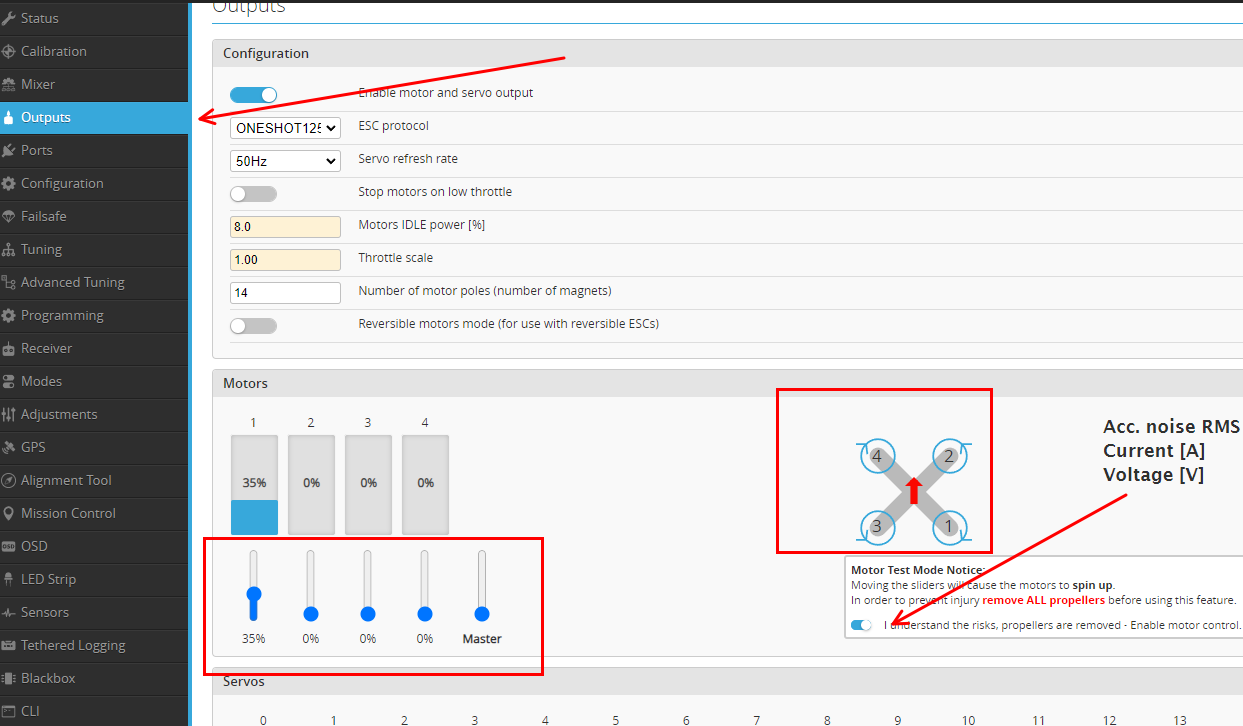
5. Verify the order: Before flight, open the Outputs page and test each motor individually to confirm that every motor operates in the expected order.